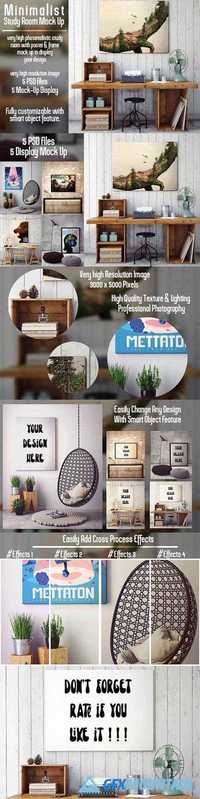
Study Room Poster Mockup 884220

Study Room Poster Mockup 884220

Study Room Poster Mockup 884220
PSD | 3000x5000 | 420 MB
Easy to place your designs using smart objects. Just copy & paste your artwork, save and you’re done!
This photorealistic Amazing Study Room Poster mock-up useful to show your design professionally. Consist of 3000? 5000 pixels PSD file that have well-structured layers and folders.
Read more

Vintage Greetings Postcard Generator 852091

Vintage Greetings Postcard Generator 852091

Vintage Greetings Postcard Generator 852091
PSD | 2400x1500 | 60 MB
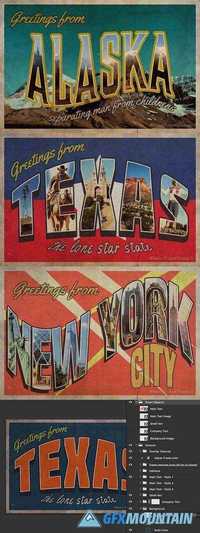
Create your own retro style postcards using this Photoshop generator template, everything has been made easy for you with Smart Objects for the main text headline, the (optional) image that is masked to the main text, small and company text, and of course the (optional) background image.
In addition to this, there are tons of options to choose from including overlay textures, optional frame textures, halftone effect, different text styles, and background types (image, gradient or solid color). Check the last preview image to get an idea of how all of this is set up.

Read more

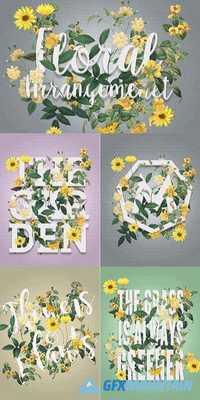
Floral Arrangement Mockup 919074

Floral Arrangement Mockup 919074

Floral Arrangement Mockup 919074
PSD | 40 MB
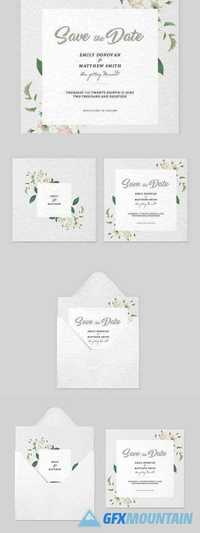
This mockup for Photoshop allows you to quickly and easily create beautiful floral arrangements with text or shapes. Simply update the Smart Object with your design and the flowers instantly have the effect of wrapping around your artwork. The flowers are all on individual layers and can be rearranged, transformed or hidden independently.
Read more

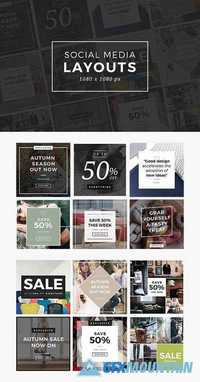
Instagram Social Media Layouts 905304

Instagram Social Media Layouts 905304

Instagram Social Media Layouts 905304
PSD | 1080x1080 | 1 MB
This pack includes 12 pre-made layouts for Instagram, Pinterest, Twitter, Facebook and other Social Media posts. Ideal for advertising sales and promotions with your followers, sharing inspirational quotes or just adding a bit of flare to your personal photos.
The layouts can be updated in Photoshop by simply placing your own images into the Smart Objects and changing the text.
Read more